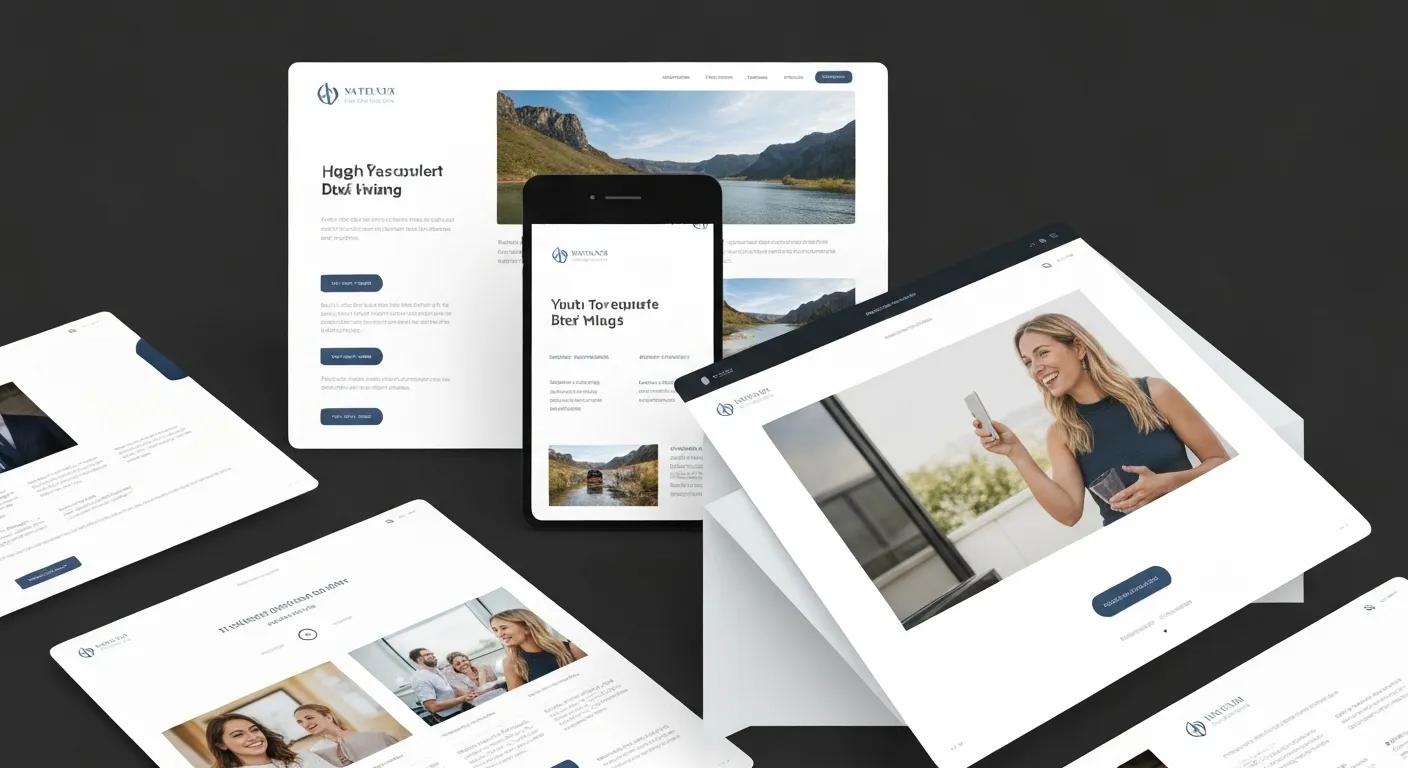
Boost Your Conversions: A UX-Driven Website Redesign Guide
A fantastic user experience can dramatically boost your conversion rates by up to 400% and cultivate lasting visitor loyalty. For many SMEs, outdated designs, confusing navigation, and slow pages create frustrating barriers that drive potential customers away. This guide reveals how a UX-first website redesign transforms these roadblocks into smooth, engaging journeys. We’ll explore what UX entails, the key phases of a redesign, essential components, how to measure its impact, selecting the right agency, success metrics, helpful checklists, mobile-first strategies, and accessibility enhancements. Discover why usability, clear information architecture, and responsive design are game-changers, how to identify crucial features, why a structured process guarantees results, and how partnering with experts like SO Web Designs—known for fair pricing, swift two-week turnarounds, and top-tier WordPress and Elementor skills—can elevate your site. Dive in to master every step of a redesign that boosts engagement, keeps customers returning, and drives revenue.
What Is User Experience and Why It’s Vital for Website Redesign?
User Experience (UX) is all about how visitors feel and perceive your website as they interact with it. It’s a blend of usability, accessibility, and emotional connection, all woven into a seamless journey. Understanding UX means recognising how intuitive layouts cut down frustration, how accessible content reaches a wider audience, and how a positive emotional connection builds trust. For instance, a well-crafted contact form that guides users through each step keeps them engaged and more likely to complete it. Grasping these UX fundamentals is the bedrock for every stage of your redesign, ensuring your decisions are driven by visitor needs, not just looks.
Understanding the core principles of user experience is fundamental to creating effective websites that resonate with visitors.
The Impact of Website Design on Customer Satisfaction and E-commerce
ABSTRACT: As e-commerce continues to grow, businesses are increasingly recognising the significance of a strong online presence through well-designed websites. This study seeks to establish a comprehensive understanding of the key factors contributing to website quality and their importance from the consumer’s perspective. The primary objectives of this research are to identify and prioritise these factors. To achieve this, a questionnaire was distributed among a younger demographic, with participants asked to rate the importance of 11 parameters related to website quality. The data collected from the survey were analysed using various statistical tests, including descriptive statistics, the Chi-square test of independence, and factor analysis. These tests were employed to rank the parameters, examine the influence of gender on respondents’ answers, identify areas of disagreement among participants, and determine if certain parameters could be grouped together. The quality of a web page is gr
Defining UX for your website redesign means ensuring every single element—from button text to how information flows—contributes to visitor satisfaction and conversions. This is crucial because a redesign without a strong UX focus might look great but still confuse users and underperform. By putting users at the heart of your revamp, you guarantee improvements in engagement, search engine visibility, and brand credibility. The following sections will dive into the core UX components, the essential phases of the process, and actionable strategies that deliver real results.
What Defines User Experience in Web Design?
User experience in web design is how visitors perceive and interact with your site’s structure, content, and interactive features to achieve their objectives. Usability means easy navigation, clear calls-to-action, and minimal hurdles to completing tasks. Accessibility ensures everyone, including those with disabilities, can access and benefit from your content through features like keyboard navigation, screen-reader compatibility, and good colour contrast. Emotional impact comes from consistent branding, welcoming visuals, and a tone of voice that connects with your audience. Together, these elements create a cohesive experience that guides users towards their goals and fosters positive feelings.
Why Is UX Crucial for a Successful Website Redesign?
Outstanding UX transforms a simple code update into a powerful business asset by boosting engagement, driving conversions, and improving your SEO. When users can find what they need easily, pages load quickly, and navigation is intuitive, bounce rates fall, and average time spent on the site increases. Search engines see these positive user signals as indicators of relevance, rewarding your pages with higher organic rankings. Beyond the numbers, strong UX builds brand trust and encourages repeat visits, turning casual browsers into loyal customers who champion your services.
What Are the Key Elements of a Positive User Experience?
A great user experience hinges on three interconnected pillars: usability, responsiveness, and clear content. Usability involves intuitive menus, straightforward forms, and predictable ways of interacting with the site. Responsiveness means your layout adapts flawlessly across all devices, delivering a consistent experience on smartphones, tablets, and desktops. Content clarity relies on concise headings, scannable paragraphs, and visual cues that help users quickly grasp information. Together, these elements create a unified environment where visitors can navigate, consume information, and convert without feeling frustrated.
What Are the Essential Phases of a UX-Focused Website Redesign Process?
A well-structured redesign process guides your team from initial research right through to launch, ensuring every step is geared towards maximising user satisfaction and business results. A UX-focused revamp typically involves five key phases: discovery and user research, information architecture planning, design and prototyping, development with thorough testing and accessibility checks, and finally, launch followed by ongoing optimisation. Each phase builds upon the insights gained from the previous one to refine interfaces, boost performance, and validate assumptions. This phased approach minimises risks, keeps everyone aligned, and speeds up the time it takes to see value.
Breaking the process into distinct stages also allows for clear timelines and realistic deliverables—essential for agencies like SO Web Designs, which offers two-week turnaround options for urgent projects. A methodical flow ensures that research findings directly inform design choices, prototypes guide development, and post-launch data fuels continuous improvements that maintain excellent UX over time.
How Does Discovery and User Research Inform Your Redesign?
Discovery and user research involve gathering crucial data about your target audience, their challenges, and their online behaviours to shape your redesign objectives. Techniques include talking to stakeholders, analysing website analytics, and conducting direct user surveys or workshops. By creating detailed user personas that capture demographics, motivations, and frustrations, your team can align design decisions with real user needs instead of guesswork. These insights help prioritise features, shape your content strategy, and guide navigation restructuring, ensuring the redesign effectively meets visitor goals and business KPIs.
What Role Does Information Architecture Play in UX Improvement?
Information architecture is about structuring your site’s content and navigation to make it easy for users to find what they’re looking for and understand how everything is organised. Creating sitemaps, user-flow diagrams, and wireframes early in the process defines logical page relationships and menu structures. This step reduces cognitive load by grouping related topics and minimising the number of clicks needed to reach important pages. A well-designed architecture is the foundation for efficient redesign efforts, ensuring visitors can locate products, services, and information without confusion.
How Are Design and Prototyping Used to Enhance UX?
Design and prototyping turn research insights into visual layouts and interactive mock-ups that stakeholders and users can review. Mobile-first design principles mean prioritising smartphone layouts, ensuring text is readable, buttons are easy to tap, and images adapt well. Visual hierarchy uses colour, typography, and spacing to draw attention to key elements like calls-to-action and important messages. Interactive prototypes, often built with tools like Elementor for WordPress, allow for early usability testing and feedback loops with stakeholders, reducing the need for extensive revisions during development.
Why Is Development, Testing, and Accessibility Critical in Redesign?
Development involves translating the approved designs into functional code, with a strong focus on performance optimisations like image compression, browser caching, and streamlined scripts. Rigorous usability testing verifies that users can successfully complete tasks, while A/B tests compare different versions to identify the most effective elements. Accessibility checks ensure compliance with WCAG guidelines, covering aspects like keyboard navigation, screen-reader support, and sufficient colour contrast. This quality assurance stage confirms that the redesign not only looks good but also provides a smooth experience for all users.
How Should You Approach Launch and Post-Launch UX Optimisation?
A successful launch requires precise deployment combined with real-time monitoring of key metrics. After the site goes live, your team should track engagement indicators like bounce rate, session duration, and conversion trends to confirm the redesign is meeting its goals. Heatmap analysis and user feedback channels can reveal new pain points or navigation issues. Armed with this data, you can make iterative improvements—from small tweaks to content adjustments—ensuring the site continues to evolve with user expectations and business priorities. Continuous optimisation preserves the gains made during the redesign and prevents the site from becoming stagnant.
Which Core UX Elements Should You Prioritise During a Website Redesign?
Prioritising core UX elements ensures your redesign delivers maximum impact on user satisfaction and business results. Focus on mobile responsiveness, page speed, intuitive navigation, consistent branding, clear calls-to-action, accessibility, and content readability. Each element addresses a critical part of the user’s journey—from landing on a page to making a purchase—so balancing these factors results in cohesive, high-performing websites that delight visitors and drive conversions.
Before we list these elements, take a look at the table below summarising their direct benefits and how they work:
| Element | Benefit | How It Works |
|---|---|---|
| Mobile Responsiveness | Boosts Engagement | Adaptive layouts and fluid grids ensure content fits perfectly on any screen size. |
| Page Speed | Cuts Bounce Rate | Optimised images, browser caching, and streamlined scripts speed up loading times. |
| Intuitive Navigation | Ensures Smooth Journeys | Clear menu labels, breadcrumb trails, and organised sitemaps guide users to their goals. |
| Branding Consistency | Builds Trust | Uniform colours, fonts, and imagery reinforce your brand identity. |
| Clear Calls-to-Action | Increases Conversions | Strategic placement and compelling text encourage users to take desired actions. |
| Accessibility | Widens Reach | Keyboard operability and screen-reader support make your site accessible to more people. |
| Content Readability | Improves Understanding | Headings, bullet points, and short paragraphs make information easy to digest quickly. |
Prioritising these core elements creates a balanced experience that addresses technical performance, usability, and emotional connection. The next section will explore the measurable value you can expect from incorporating these priorities into your redesign.
What Are the Measurable Benefits and ROI of a UX-Focused Website Redesign?
A website redesign focused on UX delivers measurable improvements in engagement, conversions, SEO, and brand reputation, often resulting in a strong return on investment. Studies show that great UX can increase conversion rates by up to 400%, while faster load times can reduce bounce rates by as much as 70%. Improved accessibility and mobile optimisation broaden your market reach. These outcomes lead to more leads, increased sales, and lower support costs, making UX-driven redesigns a smart investment for sustainable growth.
Here’s a quick look at common ROI metrics associated with UX enhancements:
| Metric | Outcome | Example Increase |
|---|---|---|
| Conversion Rate | Drives Business Growth | Up to 400% increase after simplifying checkout processes. |
| Organic Traffic | Boosts Search Visibility | 30% gain through better mobile performance and engagement signals. |
| Session Duration | Enhances Engagement | 50% longer visits when navigation and content clarity are improved. |
| Brand Trust | Builds Credibility | Positive brand perceptions lead to repeat visits and referrals. |
| Maintenance Cost | Saves Money Long-Term | Reduced need for frequent redesigns thanks to scalable information architecture. |
Understanding these benefits helps stakeholders justify redesign budgets and set realistic performance targets. The following section will guide you on how to choose the right partner to achieve these results.
How to Choose the Right Web Design Agency for a UX-Focused Website Redesign?
When selecting a partner for your UX-driven redesign, you need to evaluate their expertise, how transparent their process is, and the local support they offer. Look for agencies that have a clear UX methodology, define deliverables precisely, showcase case studies with measurable results, and provide honest, upfront pricing. Local knowledge in areas like Surrey, Hampshire, and Berkshire means they understand regional market dynamics and can offer timely, face-to-face collaboration. SO Web Designs, for instance, combines rapid two-week turnaround options with expert WordPress and Elementor skills, clear cost estimates, and ongoing advice to guide you through every stage of your redesign.
A dependable UX-driven web design partner acts as an extension of your team, providing regular progress updates, user testing findings, and optimisation plans. Transparent workflows and client testimonials confirm their ability to deliver websites that perform exceptionally well, both technically and emotionally, for your visitors.
What Should You Look for in a UX-Driven Web Design Partner?
A UX-focused agency should demonstrate a user-centred design process, including discovery workshops, wireframing, prototyping, and iterative testing. Examine their portfolio for projects that successfully boosted conversions, reduced bounce rates, and improved accessibility. Prioritise firms that offer honest quotes without hidden costs and provide clear timelines that align with your launch goals. Proven expertise in WordPress and Elementor indicates their capability to deliver flexible, scalable designs.
Why Is Local Expertise in Surrey, Hampshire, and Berkshire Important?
Local web design agencies offer deeper insights into regional customer preferences, competitive landscapes, and digital marketing channels. Being nearby allows for in-person meetings, quicker feedback loops, and stronger communication. Agencies serving Surrey, Hampshire, and Berkshire understand local SEO nuances, helping your redesigned site attract and engage audiences in those specific markets more effectively.
How Does SO Web Designs Approach UX-Focused Website Redesigns?
SO Web Designs employs a proven five-phase UX methodology—starting with user research and ending with continuous optimisation—specifically tailored for small to medium-sized businesses. With transparent pricing, rapid two-week turnaround options, and deep expertise in WordPress and Elementor, SO Web Designs delivers responsive, SEO-friendly redesigns that truly reflect each brand’s unique identity. Clients receive ongoing support, performance reports, and post-launch improvements to maintain user satisfaction and drive business growth.
How Can You Measure the Success of Your Website Redesign for UX?
Measuring the success of your redesign involves tracking key metrics, gathering user feedback, and using analytical tools to guide ongoing improvements. Key performance indicators (KPIs) like conversion rate, bounce rate, and time on page show how effectively your redesigned interfaces meet visitor needs. Heatmap analysis, session recordings, and survey feedback can uncover usability issues that analytics alone might miss. Using a combination of these tools provides a comprehensive view of user behaviour and the effectiveness of your redesign.
Committing to data-driven improvements after launch turns a one-time redesign into an evolving asset that adapts to changing visitor expectations and business goals. The next section details the specific KPIs and tools essential for monitoring UX performance.
What Are the Key Performance Indicators (KPIs) for UX Redesign?
Conversion rate, bounce rate, and average session duration are primary KPIs that reveal how effectively your redesigned site encourages desired actions, keeps visitors engaged, and delivers compelling content. Tracking form completion rates and click-through rates on calls-to-action provides further insight into usability and the effectiveness of your messaging. These metrics offer quantifiable benchmarks for evaluating redesign outcomes against your initial objectives.
How Do Analytics and User Feedback Inform Continuous UX Improvement?
Analytics platforms quantify user behaviour patterns—like where users drop off in their journey—while direct feedback from surveys or interviews captures qualitative insights. Combining both types of data helps identify areas of friction that need interface revisions, content adjustments, or navigation tweaks. Regularly reviewing analytics and user comments empowers your team to prioritise enhancements that will have the greatest impact on satisfaction and conversion.
What Tools Help Monitor UX and Redesign Effectiveness?
Tools like Google Analytics 4, heatmap software, and session-recording platforms show exactly how users interact with your redesigned pages. Usability testing applications allow for remote task completion studies, highlighting areas where users might get confused. Accessibility audit checkers ensure ongoing compliance with WCAG standards. Using these tools together provides actionable insights to refine layouts, streamline interactions, and maintain high UX standards.
What Are the Best Practices and Checklists for a UX-Focused Website Redesign?
Following established best practices and using systematic checklists ensures that no critical UX aspect is missed during a redesign. A comprehensive checklist should cover user research, mobile responsiveness, page speed, clear navigation, brand consistency, calls-to-action, accessibility features, and content readability. Implementing pre- and post-redesign audits validates that each criterion is met and identifies opportunities for further improvement. Adhering to a structured framework minimises errors and aligns teams on shared quality benchmarks.
Before we list the checklist items, remember that a thorough audit should capture both technical performance metrics and qualitative user insights to guide your priorities.
- Conduct user research to define personas, goals, and pain points.
- Map out the information architecture with sitemaps and user-flow diagrams.
- Develop mobile-first wireframes and test them on actual devices.
- Optimise images, scripts, and server settings for lightning-fast load times.
- Design clear, consistent calls-to-action with persuasive copy.
- Ensure keyboard navigability and screen-reader compatibility.
- Use headings, bullet points, and concise paragraphs for easy reading.
- Validate brand consistency across all colours, fonts, and imagery.
- Perform usability tests and A/B experiments on key pages.
- Review analytics and user feedback for adjustments after launch.
What Should a Comprehensive Website Redesign UX Checklist Include?
A comprehensive checklist integrates criteria from research, design, development, and testing to guarantee full coverage of UX essentials. It should document persona definitions, wireframe approvals, performance benchmarks, accessibility checkpoints, and post-launch review schedules. This dynamic document guides teams through each redesign milestone, ensuring consistency and accountability.
How Can You Conduct a UX Audit Before and After Redesign?
A UX audit uses analytics data, heuristic evaluations, and user testing sessions to assess your current site’s performance and pinpoint areas for redesign. After relaunch, the same audit framework verifies improvements in task completion rates, load times, and accessibility compliance. Comparing audit results from before and after the redesign highlights successful areas and informs future optimisation priorities.
What Are Common UX Mistakes to Avoid During Redesign?
Common redesign pitfalls include neglecting mobile users, overlooking accessibility standards, using inconsistent branding, hiding calls-to-action, and ignoring user feedback. Avoiding these mistakes requires sticking to a structured process, getting stakeholder agreement on UX goals, and continuously validating through testing and analytics review.
How Does Mobile-First Design Impact User Experience in Website Redesign?
Mobile-first design means creating layouts optimised for smartphones before scaling up to larger screens, reflecting the reality that over half of all web traffic now comes from mobile devices. By designing for the smallest screen sizes first, teams prioritise essential content, ensure touch targets are easy to use, and streamline navigation. This approach leads to cleaner interfaces, faster load times, and better accessibility—benefits that extend to tablets and desktops, resulting in consistently excellent experiences across all devices.
Starting with mobile layouts also influences information architecture, encouraging simpler menus and more concise content, which boosts clarity. The next section will compare responsive and adaptive techniques within mobile-first contexts.
Why Is Mobile-First Design a Must for Modern Websites?
Mobile-first design is essential because users expect fast, intuitive experiences on their phones. Prioritising mobile layouts reduces page weight, highlights critical content, and enforces easy-to-tap touch targets. These factors directly lower bounce rates and increase engagement for users on the go. Furthermore, search engines favour mobile-optimised sites in their rankings, making mobile-first strategies vital for both user satisfaction and SEO performance.
How Do Responsive and Adaptive Designs Differ and Affect UX?
Responsive design uses fluid grids and flexible images to adjust layouts dynamically across different screen sizes, ensuring a consistent look without needing multiple codebases. Adaptive design, on the other hand, detects specific device types and loads tailored layouts for each category. Responsive approaches generally offer broader compatibility and easier maintenance, while adaptive methods can provide more finely tuned experiences for popular device types.
What Are Practical Tips for Implementing Mobile Responsiveness?
Practical strategies for mobile responsiveness include starting your layouts at a 320-pixel width, using scalable vector graphics for icons, setting breakpoints based on content rather than specific device dimensions, and testing touch interactions on real devices. Prioritise key calls-to-action in easily visible screen areas and optimise forms to minimise typing. These tactics ensure your redesigned site feels natural and easy to use on all smartphones.
How Can Accessibility Improvements Enhance User Experience in Your Website Redesign?
Accessibility enhancements broaden your audience by making content usable for people with disabilities, while also improving the overall user experience for everyone. Including keyboard navigability, screen-reader compatibility, and sufficient colour contrast ensures that users, regardless of their abilities, can engage with your site. Accessibility also supports legal compliance and demonstrates your brand’s commitment to inclusivity. These improvements drive positive user behaviour signals, such as longer sessions and fewer errors.
Accessible design considerations often overlap with performance optimisations—both require lean code, clear structure, and semantic content. The final section outlines key accessibility features, their benefits, and testing standards.
What Are the Key Accessibility Features to Include?
Essential accessibility features include visible focus indicators for keyboard navigation, ARIA labels to support assistive technologies, skip-navigation links, descriptive alt text for images, and logical heading structures. Ensuring sufficient colour contrast ratios and allowing text resizing further empower users with low vision. These elements create an inclusive environment that benefits all visitors.
How Does Accessibility Benefit Your Business and Users?
Accessibility expands your market reach by catering to diverse user needs, enhances your brand reputation, and reduces legal risks. Many accessibility improvements—such as clear headings and simple navigation—also boost overall usability and SEO performance. By promoting inclusivity, businesses signal trust and social responsibility, strengthening customer loyalty and advocacy.
What Tools and Standards Guide Accessibility Testing?
Industry standards like WCAG 2.1 define the criteria for accessibility success, while automated checkers and manual evaluation tools help identify compliance gaps. Tools such as colour-contrast analysers, keyboard navigation testers, and screen-reader simulators verify that your redesign meets the guidelines. Regular accessibility audits uncover issues before launch and ensure ongoing compliance as your content evolves.
Focusing on accessibility not only fulfils ethical and legal obligations but also integrates seamlessly with UX best practices to deliver outstanding experiences for all users.
Designing with accessibility in mind completes the journey from research to launch, ensuring your website redesign truly serves every visitor and maximises your return on investment.
Get in touch with SO Web Designs today to explore how a UX-focused website redesign can transform your online presence with rapid turnarounds, transparent pricing, and expert WordPress and Elementor solutions.