Optimising Your Google Business Profile for Local SEO: A Practical UK Guide
Google Business Profile (GBP) is the free, Google‑managed listing that controls how your company appears in Google Search and Google Maps. It directly affects local visibility, website clicks, phone calls and footfall. This guide shows how GBP signals—categories, reviews, photos and structured data—feed Google’s local algorithms to improve placement in the Local Pack and generate measurable leads for UK businesses.
You’ll get step‑by‑step instructions for claiming and verifying listings, choosing categories and attributes, collecting and managing reviews ethically, optimising images and posts, and applying advanced tactics like geo‑grid testing and WordPress integration to sustain gains in 2024. Practical checklists, comparison tables and copy‑and‑paste lists make implementation straightforward for both storefronts and service‑area businesses across the UK.
If you’d rather get expert help, we at SO Web Designs (Aldershot, Hampshire) offer Local SEO and GBP optimisation services, including audits to uncover quick wins and technical fixes.
Why is Google Business Profile optimisation essential for local SEO in the UK?
A complete, well‑maintained GBP boosts your chances of appearing in the Local Pack, raises your map prominence and turns searchers into local customers by surfacing contact details, opening times and booking options. Local intent searches often trigger map results where completeness and freshness decide which businesses outrank others. Good GBP signals help customers discover you on Maps, make decisions from reviews and photos, and convert directly via calls or booking links. Professional optimisation accelerates the benefits of on‑site SEO and local citations by aligning your GBP metadata with the phrases customers actually use.
Research consistently shows that a strong GBP helps local visibility and influences customer choices.
Google Business Profile’s impact on local search and customer decisions
This study examines how businesses improve visibility in local search by using Google Business Profiles. Many people search online before visiting a shop or hiring a service; an active, accurate GBP helps local businesses connect with those customers. The research looks at how location, contact details, opening hours, website link, reviews and images affect consumer decisions, and how an updated profile increases visibility on Google Maps and local search results.
A STUDY ON THE IMPACT OF GOOGLE BUSINESS PROFILE ON BUSINESS SUCCESS, B Sharma, 2025
In short, GBP optimisation bridges local searches and offline conversions. The next section explains how GBP mechanics turn into measurable local search visibility.
How does Google Business Profile improve local search visibility?
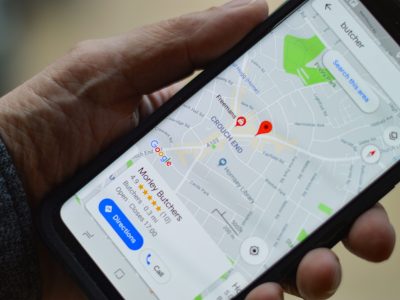
GBP improves local search visibility by providing structured, verified information that Google uses for the Local Pack, Knowledge Panel and Maps listings. Google matches queries to businesses based on relevance, distance and prominence: relevance from categories and descriptions, distance from the searcher to your location or service area, and prominence from backlinks, reviews and user engagement. For example, a local coffee shop with an up‑to‑date GBP and recent positive reviews usually beats a similar listing that’s incomplete. Small improvements—adding service attributes or better photos—often deliver faster visibility gains than backlinking alone. Knowing which signals map to which outcomes helps you prioritise the work that moves the needle quickest.
What are the key GBP ranking factors for UK businesses?
Key factors include profile completeness, review signals, correct category selection, proximity, local citations, and engagement metrics such as clicks and direction requests. Completeness means accurate NAP (name, address, phone), a clear primary category, detailed services and current photos. Review volume, recency and sentiment show trust and activity. Consistent citations across major UK directories validate legitimacy, while on‑site local content and schema reinforce relevance. Emerging 2024 trends place greater emphasis on engagement (post interactions, Q&A activity) and schema‑driven site integration. Start with what’s quickest to fix—complete your profile, choose an accurate primary category and gather timely reviews—to build momentum for the other signals.
How to claim, verify and set up your Google Business Profile correctly
Claiming and verifying your GBP gives you control over how your business appears and ensures Google gets reliable signals for ranking and customer trust. Search Google and Maps for any existing listing, follow the “own this business” flow to claim ownership and use the verification method Google provides. After verification, complete every field: use the business name exactly as on your signage, keep NAP formatting consistent, choose a precise primary category, list services, set accurate opening hours and write a succinct, keyword‑aware description. If you’d rather not handle the details, our team at SO Web Designs can help with claiming, verification, ownership transfers and bulk verification setups as part of our Local SEO services.
- Search for existing listings and request ownership if one is found.
- Start verification using the method Google offers and follow the prompts exactly.
- After verification, complete NAP, primary category, services, hours and description.
- Add high‑quality photos, pick attributes and publish initial posts to signal activity.
- Monitor the listing in Google Search Console and Google Maps for updates and owner messages.
Following this order avoids common mistakes. The next subsection explains verification methods and timelines, so you know what to expect.
What is the Google Business Profile verification process?
Verification proves you’re the authorised owner or manager of a location. Methods vary—postcard, phone, email, video or bulk—depending on business type and Google’s policies. Postcards are common for storefronts and usually arrive in 5–14 days in the UK; phone or email is faster when available. Video verification may be required for service‑area businesses or when details have recently changed, and it may ask you to show business assets on camera. Bulk verification is available for organisations with 10+ locations, but it needs documentation. Avoid changing core details (name or address) during verification to prevent delays, and keep ID and business documents ready in case Google requests them. Knowing the likely method helps you plan staffing and customer communication during the verification window.
How to ensure NAP consistency across all local listings?
Consistent NAP (name, address, phone) boosts credibility by ensuring your details match across GBP, your website and key directories. Start with a citation audit using automated tools and manual checks on high‑value platforms. Standardise abbreviations, suite numbers and punctuation to one canonical format, log every correction in a tracking sheet and prioritise directories that drive local referrals. Use citation management services or a simple spreadsheet for ongoing checks and schedule quarterly audits—especially after any address or phone changes. Consistent NAP supports GBP prominence. Next, we’ll cover how categories and attributes signal the services you offer.
Which Google Business Profile categories and attributes should UK businesses choose?
Choosing the right primary category and supporting attributes matters because the primary category determines which queries your GBP is eligible for, while secondary categories and attributes expand the services and features shown to searchers. Pick the most specific primary category that reflects your core offering; use secondary categories and attributes to capture additional services, accessibility features and specialisms. Research local competitors and run keyword queries to see which categories map to high‑converting search terms in your area, and update attributes seasonally for temporary services or offers. The table below compares common choices, when to use them and their SEO impact to help UK businesses decide.
| Category / Attribute | When to Use | SEO Impact / Example |
|---|---|---|
| Primary Category (e.g., “Plumber”) | When it accurately describes your main service | High — determines primary relevance for searches |
| Secondary Categories (e.g., “Boiler repair”) | To cover distinct services not captured by the primary label | Medium — expands query coverage |
| Accessibility Attributes (e.g., “Wheelchair accessible”) | To reflect physical access or customer facilities | Low–medium — improves relevance and click‑through |
| Appointment Links / Online Booking | If customers can book online | Medium — increases conversions and engagement signals |
This comparison shows how category choices steer which searches your GBP appears in. The next subsection outlines a tactical approach to selecting and testing categories to maximise local SEO impact.
How to select primary and secondary categories for maximum local SEO impact?
Choose your primary category by mapping the most common, revenue‑driving search a customer would use to find your core service, then add secondary categories for related offerings. List customer intent phrases and match them to available GBP categories, then validate by searching those phrases in Google Maps to see which categories win in your area. Use analytics and Google Search Console to monitor traffic after category changes and test in small increments, allowing two to four weeks to spot movement. Prioritise specificity for the primary category—Google relies heavily on it—and mirror those choices on your website with service pages and schema to deliver consistent cross‑channel signals. With categories set, use attributes to highlight your unique selling points.
How do GBP attributes highlight your business’s unique selling points?
Attributes are short, searchable labels—like “women‑led”, “free Wi‑Fi” or “on‑site parking”—that help customers choose and help Google match specific queries to your business. Select attributes that matter to your local audience,e and that can be verified visually or through customer experience. Refresh them seasonally when services change. Attributes often affect click‑through more than ranking because they appear in the Knowledge Panel and Maps listing, so pick ones that reduce friction (for example, “accepts card payments” or “online booking available”). Keep attributes aligned with your website content so Google sees the same signals across platforms. Next, we’ll cover how reviews multiply trust and ranking signals.
How to generate, manage and leverage customer reviews on your Google Business Profile
Reviews are both ranking signals and conversion drivers: they shape Google’s view of quality and influence prospective customers. A structured, ethical review strategy is essential. Ask for reviews at the right moment—after a completed job or purchase—to improve response rates, and respond promptly to show engagement and manage sentiment. A simple workflow with polite requests, follow‑up reminders and templated responses makes review management scalable. The table below is a practical review‑management matrix to help you decide what to ask, how to respond and the expected impact of each review type.
| Review Type | Ask / Respond / Timing | Value (Trust or Conversion Impact) |
|---|---|---|
| Positive Reviews | Ask within 24–72 hours; reply with thanks and a short personal note | High — boosts credibility and click‑through |
| Neutral Reviews | Ask for specific feedback; respond offering help or a follow‑up | Medium — chance to convert and show care |
| Negative Reviews | Respond within 24–48 hours; acknowledge, apologise and offer offline resolution. | High if handled well — limits damage and shows responsiveness |
This matrix helps you prioritise actions so every review contributes to reputation and ranking improvements. The next subsection explains why review recency and sentiment matter for local search.
Why are customer reviews crucial for local SEO and trust?
Reviews signal quality, freshness and user satisfaction to Google and potential customers. Volume, recency and sentiment all impact local ranking and click behaviour. Recent positive reviews show ongoing customer approval and can lift a business above competitors with older or fewer reviews. Negative reviews, when met with professional, timely replies, reduce reputational harm and demonstrate active customer service. Reviews also feed snippets and third‑party aggregators that customers consult, so a steady flow of genuine feedback is more valuable than a handful of old reviews. For UK businesses, asking service‑specific questions (for example, “How was our boiler repair response time?”) increases the relevance of review content and helps Google match reviews to search queries.
What are the best practices for responding to and managing GBP reviews?
Respond promptly, add personalised detail and invite offline resolution when necessary. Use concise, professional templates for positive reviews—thank the customer and reference the service; for neutral reviews, request clarification and offer follow‑up; for negative reviews, apologise, outline next steps and invite offline contact—avoid public disputes. Track monthly review metrics (volume, average rating, response rate, and sentiment) and feed insights into service improvements and staff training. Use automated post‑service emails or SMS prompts—without incentives—to keep review requests ethical and in line with platform rules. The next section covers optimising photos, videos, posts, and Q&A to further boost engagement.
How to optimise photos, videos, posts and Q&A for better GBP engagement
Visuals, posts and Q&A drive engagement and trust, improving click‑throughs and helping both Google and customers understand your business. Follow technical and creative rules: upload clear interior and exterior photos, short videos that show services, regular Google Posts for offers or events, and seed Q&A with answers to common questions. Descriptive filenames, alt text and optional geotags help Google contextualise media and improve indexing. The table below summarises best practices and gives alt‑text examples you can reuse.
| Visual Type | Specs / Best practice | Value (Engagement metric / Example alt text) |
|---|---|---|
| Exterior Photo | JPG, minimum 720×720, clear signage visible | Improves local recognition; alt: “Front of [business type] in Aldershot showing entrance” |
| Interior Photo | 4:3 aspect, natural light, staff or customer activity | Builds trust; alt: “Workshop area with technicians servicing boilers” |
| Short Video | MP4, 15–30 seconds, show a service or short tour | Higher engagement; alt: “30s tour of coffee shop interior and seating” |
Use these conventions so each upload works for users and search engines. The next subsection describes posting cadence and Q&A workflows for ongoing engagement.
- Publish weekly or biweekly Google Posts announcing offers, events or updates with a clear CTA.
- Seed Q&A with common questions and approved answers to reduce friction for prospects.
- Monitor post performance and refresh seasonally or for promotions—aim for a monthly review.
These routines create steady engagement and generate activity signals that support local visibility. The following section covers photo and video technical details in more depth.
What are Google Business Profile photo and video guidelines for UK businesses?
Google recommends clear, well‑lit photos and short, informative videos that accurately represent your business. Use standard formats (JPG/PNG for images, MP4 for video), meet or exceed 720×720 for images, and keep videos short to retain attention. Make filenames and alt text descriptive, and include local modifiers when appropriate (e.g., “Aldershot-plumber-team.jpg”)—be specific but avoid keyword stuffing. Useful content types include staff‑in‑action shots, product close‑ups and service process photos that help customers picture the experience. Geotagging can help for field vehicles or events, but should never be misleading. Following these guidelines builds user trust and increases the chance your images appear in local image searches. Next, we explain how to use Posts and Q&A strategically.
How to use Google Posts and Q&A to engage local customers?
Google Posts let you publish timely messages—offers, events and updates—that appear in your Knowledge Panel. Use short, benefit‑led copy, clear CTAs and UTM parameters to track results. Seed Q&A with three to five common questions and authoritative answers, monitor new submissions daily and reply in a consistent, friendly voice. A practical cadence is a weekly post for promotions and a monthly Q&A audit to remove or update outdated answers. Track post views, clicks and engagement,t and use UTM‑tagged links to capture GBP‑driven traffic in analytics so you can link actions back to conversions and refine your approach.
What advanced strategies can boost your Google Business Profile performance in 2024?
Advanced GBP strategies blend technical testing, hyperlocal content and tighter website integration to extract extra local visibility and better attribution from customer interactions. Geo‑grid testing measures ranking differences across coordinates to expose neighbourhood opportunities; hyperlocal landing pages mirror local query language and landmarks to feed GBP relevance; structured data and UTM tracking link GBP clicks back to on‑site behaviour so you can measure ROI. These tactics need careful measurement but pay off in competitive markets. For WordPress sites, integrating schema, booking links and analytics with GBP creates sustained signals and clearer attribution. SO Web Designs can run technical audits and deliver bundled GBP plus WordPress optimisation packages to implement these moves.
- Geo‑grid ranking tests to identify micro‑location differences and opportunities.
- Hyperlocal service pages targeting neighbourhood queries and landmarks to improve relevance.
- Schema markup and UTM tracking to link GBP activity to website conversions and analytics.
These advanced measures connect technical SEO and local content strategy to create durable visibility gains. The next subsection gives actionable steps for geo‑grid testing and hyperlocal content.
How does geo‑grid ranking and hyperlocal content improve local SEO?
Geo‑grid ranking samples positions from multiple nearby coordinates to map where your GBP appears and where competitors dominate, helping you target content and citation efforts to areas with the biggest uplift potential. Start with a 9–12-point grid across your service area, record Local Pack positions for target keywords, and spot where your listing is weak or absent. Then publish hyperlocal pages or secure citations and local links tied to those micro‑areas to influence proximity and relevance signals. Hyperlocal content—service pages that reference neighbourhoods, landmarks and local FAQs—creates semantic matches for voice and conversational search and raises your odds for location‑modified queries. Re‑test after changes to measure impact. The following subsection explains how WordPress integration complements these tactics.
How to integrate your WordPress website with GBP for maximum SEO benefit?
Integrating WordPress with GBP strengthens signals by ensuring consistent schema, matching service pages, booking links and UTM tracking so GBP clicks map back to conversions. Add LocalBusiness and Service schema to key landing pages, build hyperlocal service pages that mirror GBP services and attributes, embed Maps with correct NAP markup, and use UTM parameters on booking and CTA links in GBP posts to trace user journeys. Improve mobile UX and page speed on service pages to lower bounce rates and increase conversions from GBP traffic, and ensure server‑side tracking or analytics events capture calls, clicks, and form submissions. If you need implementation support, SO Web Designs offers WordPress optimisation and schema integration audits that prioritise fixes and estimate time‑to‑impact.
Further research highlights the importance of structured data and local optimisation in increasing a retailer’s visibility and conversions in Google’s local results.
Local business optimisation for Google & structured data
This research underlines the value of locally optimising a retailer’s presence for search engines to increase organic traffic. It offers practical recommendations for retailers on Google‑side local optimisation and demonstrates JSON‑LD microdata examples that can help secure better placement in the Local Pack versus competitors, boosting organic traffic and conversions. Tools used include Google My Business, JSON‑LD generators and structured data testing tools to verify markup.
Business optimisation in the digital age: Insights and recommendations, A Natorina, 2020
That technical integration ties back to our earlier advice on categories, reviews and assets, completing a strategy that aligns GBP activity with on‑site performance and measurable local growth.
Conclusion
Optimising your Google Business Profile is a cost‑effective way to improve local visibility and attract nearby customers. Follow the steps in this guide to make your profile more complete, relevant and engaging—and to drive measurable business growth. If you’d like hands‑on support, explore our Local SEO and GBP optimisation services or request an audit to identify quick wins.
Start improving your online presence today and watch your local customer base grow.