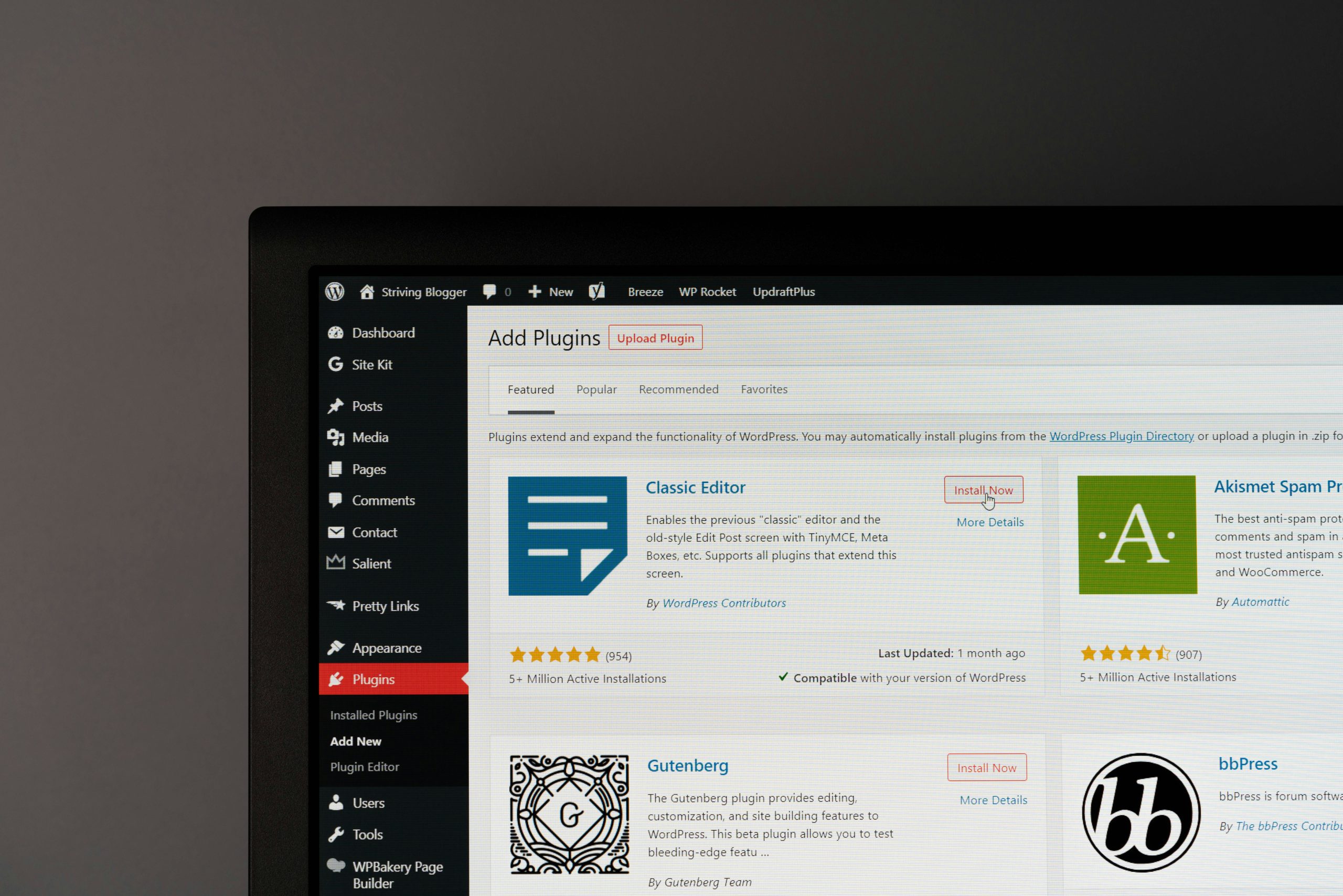
Choosing the right CMS for your business — a practical guide
The CMS you pick shapes how quickly your team can publish, how the site grows, and what you’ll pay over time. This guide explains what a CMS is, compares the main types and platforms, and provides practical criteria to help UK small businesses choose with confidence. We focus on the local issues that matter — GDPR, UK hosting options, and typical small‑business budgets in Surrey, Hampshire, and Berkshire — and show how WordPress, Shopify, and Wix differ in control, cost, and flexibility.
You’ll see the key selection factors (ease of use, scalability, security, integrations and total cost of ownership), a side‑by‑side platform comparison, and clear next steps for migration, design and ongoing maintenance.
By the end, you’ll have a simple decision framework and realistic actions to get a CMS live with minimal disruption.
Take the Next Step: Implement Your Ideal CMS Today
A content management system (CMS) is software that enables non‑technical staff to create, edit, and organise website pages through an admin interface, so routine updates don’t require a developer. Separating content from presentation speeds up publishing, keeps pages consistent, and allows multiple editors to work with role‑based access.
For UK small businesses, this means faster marketing updates, easier e-commerce product management, and clearer controls for GDPR and cookie consent. Your CMS choice also affects long‑term costs, integration options (CRM, payments) and who’s responsible for hosting and security. Understanding CMS types and their business benefits helps you match a platform to your goals before spending on design or migration.
Brief study — open-source CMS and WordPress setup
A content management system organises and publishes website content such as text, images, video and documents. CMS software can be free and open‑source or paid and proprietary; paid options often include maintenance and support. The main CMS categories are open‑source, proprietary hosted platforms and Software‑as‑a‑Service. Each type runs on different application stacks and supports various databases and integrations. This note also outlines the basic WordPress installation process and highlights how a CMS supports practical website design and management. The aim is to compare options so teams can choose the right fit for their needs…
What are the different types of CMS?
CMS platforms normally sit in four groups: open‑source systems you host yourself, proprietary hosted platforms that bundle software and hosting, headless CMS that separate content from presentation, and hybrid models that combine features. Open‑source solutions like WordPress are highly extensible through plugins and themes, making them flexible for custom projects. Proprietary hosted platforms trade flexibility for convenience by providing managed infrastructure. Headless CMS suits multi‑channel publishing (web, apps, kiosks) because it exposes content via APIs rather than built‑in front ends. Your choice depends on technical skill available, compliance needs such as data residency, and whether you prioritise quick setup or long‑term customisation.
How can a CMS benefit your small or medium-sized business?
A CMS reduces friction by enabling fast content updates, consistent branding and multi‑user workflows that remove marketing bottlenecks. It supports lead generation with template-driven landing pages, structured content that helps search visibility, and analytics to measure performance. E‑commerce‑ready platforms let you add a shop without rebuilding the site, so you can grow revenue incrementally while keeping marketing pages intact. For example, a local service business can publish a new case study or offer in minutes, generate enquiries faster and cut developer costs — improving time‑to‑lead and return on investment.
- Operational benefits: reduced dependence on developers, faster page launches, and simpler content editing.
- Business benefits: stronger lead capture, scalable product listings and clearer marketing measurement.
- Compliance: centralised consent and data access controls that support UK regulations.
Together, these advantages make your CMS choice a strategic decision, not just a technical one.
What key factors should you consider when choosing a CMS?
Align practical criteria with your business goals: ease of use, scalability, security, integrations, and total cost of ownership (TCO). These determine how quickly your team adopts the system, how the site performs under load, and the ongoing cost of hosting and maintenance. Check plugin ecosystems, community support and the availability of local providers for development and maintenance. Weigh upfront design costs against ongoing hosting, updates and security monitoring to understand the true long‑term investment.
Different CMS types trade strengths and weaknesses across these attributes. The right pick depends on whether you value speed‑to‑launch, deep customisation or multi‑channel delivery. The table below summarises how open‑source, proprietary, and headless CMS typically perform across key areas, enabling quick comparison.
| CMS Type | Key strength | Typical cost profile |
|---|---|---|
| Open‑source (e.g. WordPress) | High customisation and a large plugin ecosystem | Low software cost, variable maintenance expenses |
| Proprietary/Hosted (e.g. Wix, Shopify) | Managed hosting and easy setup | Subscription pricing with predictable fees |
| Headless | API‑first multi‑channel delivery | Variable developer cost, scalable backend |
How important is ease of use and user experience in CMS selection?
Ease of use affects how quickly staff adopt the CMS, how much training is required, and how quickly content moves from draft to live. Visual editors and page builders lower the learning curve with drag‑and‑drop interfaces, while role‑based permissions reduce accidental edits. Check for staging environments, preview modes, and content scheduling that align with your editorial workflow. Test admin screens with typical users to measure real-world usability rather than relying on vendor claims, and prefer systems where routine tasks such as image resizing, metadata entry, and template selection are straightforward.
Checklist for admin usability:
- Clear WYSIWYG editor or visual builder
- Role and permission controls for teams
- Staging, preview and scheduling features
- Media management and reusable templates
These features reduce friction and enable marketing teams to act independently, accelerating outcomes and reducing developer reliance.
Why are scalability and security critical for your website’s growth?
Scalability ensures your CMS can handle rising traffic, larger content volumes, and features such as product catalogues or bookings without slowing down. Security is essential: platforms need timely patches, secure hosting, regular backups and monitoring to protect customer data and preserve trust. With self‑hosting, the update and vulnerability management responsibilities fall to you or your provider; hosted platforms shoulder more of that burden but reduce control. Plan for caching, a CDN and database optimisation, and set a sensible update and backup schedule to limit exposure to plugin vulnerabilities or software flaws.
- Quick TCO note: paying for managed hosting and maintenance often reduces downtime and patching risk — protecting revenue and reputation.
Considering scalability and security together helps you avoid hidden long‑term costs and operational risk.
How do integration capabilities and total cost of ownership affect your choice?
Integration capability determines how easily your CMS integrates with CRMs, email platforms, payment gateways, and analytics tools that underpin sales and marketing. A healthy plugin marketplace simplifies connections but needs vetting for quality and ongoing maintenance. Total cost of ownership includes one‑off design and development, hosting and subscription fees, plugin licences and the labour for updates and content. When assessing TCO, separate build costs from predictable ongoing expenses and ask providers for sample maintenance packages so you can compare like-for-like.
| Selection attribute | What to check | Business impact |
|---|---|---|
| Scalability | Hosting options, CDN and caching | Performance under load |
| Security | Update policy, backups and monitoring | Risk and compliance |
| Integrations | APIs and plugin ecosystem | Operational efficiency |
| TCO | Build costs versus ongoing fees | Budget predictability |
What role does SEO friendliness play in CMS selection?
An SEO‑friendly CMS helps your content get found through clean URLs, editable metadata, mobile‑first templates and semantic HTML that search engines prefer. Look for editable title tags, meta descriptions, structured data support and control over URL slugs. Plugins can add sitemaps, schema markup and speed diagnostics, but choose well‑maintained tools to avoid security gaps. Mobile responsiveness and performance are core SEO factors since they affect both indexing and user experience.
Features to prioritise:
- Editable URLs and metadata
- Responsive design templates
- Structured data/schema support
- Performance optimisation tools
Prioritising these capabilities makes content‑driven growth practical and measurable.
Why WordPress is a great fit for most UK small businesses
WordPress balances flexibility, a large plugin and theme ecosystem, and a broad pool of local service providers — making it a sensible choice for many UK small businesses. Its open‑source core supports deep customisation, while plugins like WooCommerce and page builders such as Elementor add e‑commerce and visual editing without heavy development. WordPress supports UK-hosted options and GDPR-compliant consent tools, and the community offers extensive support. That said, it does need responsible maintenance — regular updates, backups and security monitoring — to deliver its full value safely.
WordPress ecosystem note — 2025 perspective
WordPress remains a dominant platform globally, powering a large share of websites. This reflects a shift toward CMS‑driven development and a robust ecosystem of plugins, themes and commercial services. The WordPress economy supports many independent providers and a wide range of business models, making it a resilient foundation for websites of all sizes.
| Component | Characteristic | Business value |
|---|---|---|
| Core WordPress | Extensible and open‑source | Low licence cost and high customisation |
| Plugins (WooCommerce, SEO) | Feature extensions | Add functionality quickly without rebuilding |
| Page builders (Elementor) | Visual design control | Faster launches and easier editing for non‑technical staff |
| Hosting & maintenance | Managed or self‑hosted options | Control over performance and security |
What features make WordPress ideal for UK SMBs?
WordPress’s plugin‑driven architecture lets small businesses add bookings, payments, or multilingual support without starting from scratch, saving time and reducing costs. Admin areas can be simplified with tailored dashboards and user roles, and page builders reduce developer hours for routine updates. Local managed WordPress hosting in Surrey, Hampshire, and Berkshire makes GDPR compliance and data‑residency choices straightforward. For most small businesses that need a professional website, WordPress hits the sweet spot between cost, control and speed.
How can WooCommerce power your e‑commerce site?
WooCommerce turns WordPress into a full-featured e‑commerce platform, with product management, checkout, shipping, and payment gateway integrations in the familiar admin. It supports subscription extensions and advanced shipping and integrates with UK payment providers. With appropriate hosting and caching, WooCommerce scales from small catalogues to mid‑sized stores — though very large marketplaces may require additional engineering. For many local retailers and service businesses, WooCommerce is an affordable way to sell online while keeping content and commerce on the same platform for better SEO and marketing continuity.
How does Elementor help with WordPress design?
Elementor is a visual page builder that accelerates bespoke layout creation without code, enabling designers to build reusable blocks for CTAs, service pages, and product showcases. Global styles and template kits accelerate time‑to‑launch and make redesigns easier — handy for seasonal campaigns or promotions. Combining Elementor with WordPress gives teams more design control and faster delivery while keeping options open for future custom development.
Given these benefits, many organisations choose professional implementations to get the speed and security advantages without internal technical overhead. For teams wanting a clear, jargon‑free setup with local support, WordPress website design often offers the best mix of cost, control and extensibility.
How WordPress compares to other popular CMS platforms
Comparing WordPress, Shopify, Wix, and Joomla highlights trade-offs among customisation, managed convenience, and commerce focus. WordPress usually wins on customisation and plugin variety; Shopify is strong for managed e‑commerce with predictable pricing; and Wix is quick for very simple sites. Joomla sits between content‑heavy features and a smaller ecosystem. The right platform depends on whether you need full control, the fastest possible launch with low overhead, or a commerce‑first service with built‑in payments and hosting.
| Platform | Ease of use | Cost model | E‑commerce support | Customisation |
|---|---|---|---|---|
| WordPress | Moderate | Hosting and plugins | WooCommerce | High |
| Shopify | High (hosted) | Subscription | Built‑in, commerce‑first | Moderate |
| Wix | High (hosted) | Subscription | Basic commerce | Low–moderate |
| Joomla | Moderate | Hosting and extensions | Available via extensions | Moderate–high |
Key differences between WordPress and Shopify
WordPress is self‑hosted and highly customisable through plugins and themes, making it well-suited for sites that require bespoke integrations or a combined content‑and‑commerce approach. Shopify is a hosted e‑commerce platform that handles hosting, payments and security but limits low‑level customisation. Choose Shopify for a managed commerce experience and predictable monthly costs; choose WordPress if you want full control, deeper marketing integrations and flexibility to grow beyond a shop. Migration points to check include data export/import, URL mapping and payment gateway differences.
How WordPress compares to Wix and Joomla
Wix focuses on simplicity and fast site assembly with hosted templates — a good fit for sole traders or micro‑businesses that need a basic online presence. Joomla offers more built‑in content controls but a smaller marketplace and a steeper learning curve than WordPress. WordPress usually offers the best upgrade path for growing businesses without platform lock‑in.
How SO Web Designs can help you choose and implement the right CMS
SO Web Designs is a UK web design and digital marketing agency specialising in bespoke, responsive WordPress websites and WooCommerce shops. We give clear, jargon‑free advice to small businesses across Surrey, Hampshire and Berkshire. Our process covers requirement mapping, platform and hosting recommendations, Elementor‑based template design, and the delivery of sites built for performance and compliance. We aim for transparent pricing, quick turnarounds on scoped projects, and friendly expert support to keep migration and launch smooth. For clients who prefer managed support, we also offer ongoing hosting and maintenance, including updates, backups, and security monitoring.
What WordPress design services does SO Web Designs offer?
We build bespoke WordPress sites, redesign existing sites, and create WooCommerce shops using Elementor to accelerate delivery and simplify editing for non‑technical teams. Typical packages include a full site build, reusable template creation for landing pages, and a clear handover that makes admin tasks straightforward. Our quoted two‑week turnaround applies to scoped projects with content and objectives agreed up front, and our pricing is transparent, so small budgets can plan effectively. We position ourselves as a helpful, expert partner who explains technical choices in plain English.
How does SO Web Designs support migration, SEO and ongoing management?
Our migration process is pragmatic: map content and redirects, test on a staging site, migrate assets and data, and verify everything before launch to minimise downtime. We run SEO and site‑health checks during migration to protect search visibility and advise on metadata mapping and URL redirects. For ongoing needs, we offer managed plans that include updates, backups, and security monitoring to help you avoid plugin conflicts and vulnerability windows. Local support and clear communication make it easier for UK SMBs to keep a secure, well‑performing website without hiring in‑house technical staff.
Common questions about choosing the right CMS
Business owners often ask which platform to pick, what budgets to expect and which factors matter most. Short, practical answers help you make a quick decision while pointing to deeper evaluation steps. Below are concise responses to common questions that highlight the most relevant considerations for small businesses today.
What is the best CMS for a small business in the UK?
For most UK small businesses, we recommend WordPress because it balances cost, extensibility and a strong local support market. It makes content updates simple, supports e‑commerce via WooCommerce and enables visual editing with Elementor. Choose Shopify if you want a fully managed commerce platform with predictable subscription costs and minimal hosting work. Consider a headless approach for complex multi‑channel needs, but expect higher development costs and longer timelines.
How much does a WordPress website cost in the UK?
Costs vary by complexity: basic brochure sites sit at the lower end, business sites with custom templates and integrations are mid‑range, and full WooCommerce stores or bespoke applications represent higher one‑off build costs plus ongoing hosting and maintenance. Major cost drivers include design customisation, number of templates or SKUs, premium plugins and whether you choose managed website services or a maintenance plan. Budget for ongoing hosting, security updates and periodic redesigns to keep the site secure and performing.
What are the most important factors to consider when choosing a CMS?
Prioritise ease of use, clear ownership of security and maintenance, integration with your existing tools, total cost of ownership and access to reliable support or agencies. A short checklist helps you evaluate options quickly.
Quick CMS selection checklist:
- Can your team edit content without frequent developer help?
- Does the CMS integrate with your CRM, payment and analytics tools?
- Who owns security, backups and updates, and are these costs budgeted?
- Is the performance and hosting plan scalable?
- Are local support and GDPR/compliance needs covered?
This checklist narrows the field and points to the most practical platform for your business goals. If you want help, partnering with a local WordPress specialist usually speeds time‑to‑launch and reduces ongoing risk while keeping costs predictable.
Conclusion
Picking the right CMS can make your business more efficient and more visible online. Understanding the strengths of platforms like WordPress helps you manage content, improve SEO and meet local compliance requirements.
If you’re ready to move forward, get in touch — we’ll help you find and implement the CMS that fits your needs.